
S1 Game APK Download 2026 Free for Android & iOS
| Updated | now |
| Size | 5.6 |
| Version | V1,0,1 |
| Requirements | Android3+ |
| Downloads | 1M+ |
| Get it on |  |
Description
S1 Game is a name that users may come across while searching for online gaming information in 2026. People who discover this name often want to learn about its features, mobile compatibility, account access, installation requirements, and general user experience. This guide brings those topics together in one place to help beginners understand what to check before accessing an unfamiliar gaming platform. make a best game on pakistan BD788 Game
Mobile gaming continues to attract users because smartphones make digital entertainment accessible and convenient. However, every platform has its own requirements, interface, and policies. Therefore, users should not assume that a particular feature is available without checking the current information provided by the relevant website or developer.
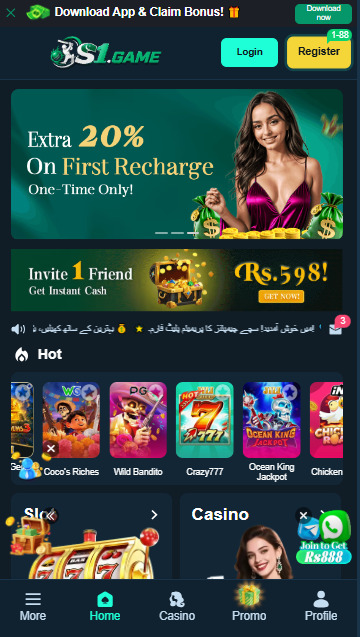
This S1 Game guide is intended for informational purposes. It explains common platform features, Android download precautions, account security, compatibility, and frequently asked questions. The exact launch date, current application version, and availability of specific features should be confirmed through reliable sources before users rely on those details.
What Is S1 Game?
S1 Game is a name associated with online gaming information and a platform advertised for mobile entertainment. A website using this name describes several gaming categories and features, although those descriptions should be checked against current, independently verifiable information before being treated as confirmed facts.
The term S1 Game may refer to a website, a mobile application, or a particular service using the same name. This distinction is important because users need to know which platform they are accessing and whether its publisher can be verified.
For beginners, the first step is to identify the correct website and review its available information. Check the developer’s identity, privacy policy, terms of service, and device requirements. These details can help readers understand the service before they decide whether to explore it.
Another important consideration is that a platform’s name and logo do not prove that a particular download file is authentic. Users should always verify the source rather than relying only on promotional descriptions or images.
S1 Game Features
The following sections explain features commonly associated with online gaming platforms. The availability of each feature on S1 Game should be checked through current, reliable documentation.
1. User-Friendly Interface
A clear interface helps users understand how a platform works. Simple menus, readable text, and organised sections can make navigation easier for beginners.
When reviewing S1 Game, look for clearly labelled sections and accessible instructions. Avoid interacting with pages that contain confusing pop-ups, misleading buttons, or unexpected redirects.
2. Mobile Accessibility
Many users prefer accessing digital entertainment through smartphones. A mobile-friendly website should adjust to different screen sizes and provide controls that are easy to use.
Before accessing S1 Game on an Android phone, confirm whether the service supports your device and operating system. If a website works through a mobile browser, a separate application may not be necessary.
3. Different Gaming Categories
Some online gaming platforms organise their content into categories so users can explore different activities. A website describing S1 Game advertises several categories, but users should verify which activities are currently available.
Read the instructions for each section carefully. Do not assume that all advertised categories are accessible to every user or supported in every location.
4. Account Management
Certain platforms require users to create an account before accessing selected sections. Account features may include login controls, profile information, and password recovery.
If S1 Game requires registration, check the information it requests and understand why it needs those details. A trustworthy process should provide understandable instructions and relevant privacy information.
5. Help and Support
Support information is useful when users experience technical difficulties or have questions about platform policies. Look for clear instructions explaining how to contact the provider and report a problem.
Be cautious if a page asks you to share your password, verification code, or other confidential information through an unofficial channel.
6. Platform Updates
Websites and applications can change over time. Updates may modify navigation, improve compatibility, or address technical problems.
Before following an old guide, compare its information with the current documentation. Confirm the version number and release information whenever those details are available.
S1 Game Download for Android
Users searching for S1 Game Download should first establish whether an official Android application is available and identify its verified publisher.

The Google Play Store is generally a sensible starting point for finding Android applications. However, an app may not be listed there, and a website offering an APK file does not automatically establish that the file is trustworthy.
An APK is an Android application package. It is a common installation format, but its presence alone does not prove that an application is authentic or safe.
Before downloading an application associated with S1 Game, follow these precautions:
- Check the website address carefully.
- Verify the publisher’s identity and contact information.
- Confirm the application version and Android requirements.
- Avoid modified or unofficial application packages.
- Review the requested permissions before installation.
- Keep your device and security software updated.
- Do not disable security protections just to complete an installation.
- Stop if a download page redirects to an unfamiliar website.
If you cannot confirm the source or authenticity of a file, avoid installing it.
How to Install S1 Game on Android
The exact installation process depends on whether an official application is available. The following steps provide general guidance for Android users.
Step 1: Verify the Source
Locate a reliable source associated with the platform. Check the publisher details and make sure the download page refers to the application you intend to access.
Step 2: Check Compatibility
Review the minimum Android version, storage requirements, and any other technical information supplied by the developer.
Step 3: Download the Correct File
If a verified official download is available, follow the instructions provided by that source. Avoid advertisements that imitate download buttons.
Step 4: Review Permissions
Before installing, examine the permissions requested by the application. Consider whether they are appropriate for its stated purpose.
Step 5: Open the Application
After installation, review the welcome screen, terms, and privacy information. If the application displays unexpected behaviour or requests unrelated permissions, stop and investigate.
These steps are general Android recommendations. They do not confirm that a particular S1 Game APK is currently available or verified.
S1 Game Registration and Login Guide
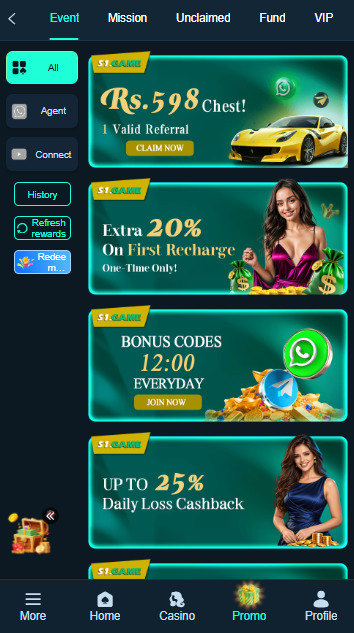
Some online platforms require an account, while others allow users to browse without registering. Check the current access instructions to determine which arrangement applies to S1 Game.
Registration
If registration is available and required, follow these general steps:
- Open the verified official website or application.
- Find the registration option.
- Read the account terms and privacy policy.
- Enter only the information that is necessary.
- Complete the verification process described by the provider.
- Create a strong, unique password.
- Keep your account details private.
Do not use another person’s identity or provide unnecessary personal information.
Login
Returning users should access the platform through a verified website or application. Enter their credentials carefully and avoid following login links sent by unknown people.
If you forget your password, use the official recovery procedure if one is provided. Never disclose a one-time verification code to someone claiming to be a support representative.
If the login page does not work, check your internet connection and confirm that the website address is correct. Avoid downloading additional files from unfamiliar websites to solve a login problem.
Is S1 Game Safe?
Safety depends on the specific website or application, its operator, its security practices, and how it handles user information. A logo or professional-looking interface cannot establish that a platform is trustworthy.
Before accessing S1 Game, consider the following points.
Publisher information: Look for a clearly identified developer or operator. Check whether its identity can be verified independently.
Website security: Check that the browser connection uses HTTPS. This protects information in transit but does not guarantee that the website itself is legitimate.
Privacy policy: Understand what information the service collects, how it uses that information, and whether it shares data with other organisations.
Application permissions: Review every requested permission. Be particularly cautious when an application asks for access that appears unrelated to its purpose.
Independent reviews: Look for credible information from sources that are not controlled by the platform. Treat unsupported promotional claims carefully.
Customer support: Check whether the provider explains how users can ask questions, report technical problems, or raise privacy concerns.
Until these details have been verified, it would be inappropriate to describe S1 Game as completely safe or officially approved.
Advantages and Limitations of S1 Game
A balanced overview should explain what users may appreciate about a platform and what they should investigate before accessing it.
Potential Advantages
- Mobile access may be convenient when the service supports smartphones.
- Clear navigation can help beginners understand the available sections.
- Written instructions may make technical requirements easier to follow.
- Transparent privacy information can help users make informed decisions.
- Clearly documented compatibility requirements can reduce installation problems.
These are general benefits to look for, not independently confirmed advantages of every S1 Game version.
Potential Limitations
- The current application version may require additional verification.
- Unofficial download files can create security risks.
- Account registration may require sharing personal information.
- Available features may differ between website versions.
- Unclear operator information can make a platform difficult to evaluate.
- Access may depend on device compatibility and local requirements.
Review these considerations before deciding whether the platform meets your needs.
Tips for Beginners Using S1 Game
If you are researching S1 Game for the first time, the following practices can help you approach the platform carefully.
- Read the available documentation before accessing the service.
- Verify the website address and publisher information.
- Check compatibility with your mobile device.
- Use a unique password if an account is required.
- Keep your device’s operating system updated.
- Avoid clicking suspicious advertisements or unfamiliar links.
- Review privacy terms before sharing personal details.
- Do not trust unsupported claims or guaranteed-outcome promises.
- Stop using an application that behaves unexpectedly.
- Follow the applicable laws, age restrictions, and platform rules.
Taking these precautions can help you protect your privacy and avoid common problems when exploring unfamiliar online services.
Frequently Asked Questions About S1 Game
1. What is S1 Game?
S1 Game is a name associated with an online gaming platform and related gaming information. Users should verify the exact website, publisher, and current features before accessing a specific service.
2. Was S1 Game launched yesterday?
The claimed launch date has not been independently confirmed. Check a dated announcement from the verified developer before describing S1 Game as a newly launched platform.
3. Where can I download S1 Game?
First verify whether an official application is available. Use a trustworthy source and check the publisher, version, and compatibility requirements before downloading any file.
4. Is S1 Game available for Android?
Android availability should be confirmed through current platform documentation. Check the supported operating system and application requirements before attempting installation.
5. Does S1 Game require registration?
Registration requirements depend on the specific service. Review its current instructions to determine whether an account is necessary and what information may be requested.
6. Can I access S1 Game on a computer?
Computer compatibility has not been independently confirmed. Check whether the provider supports desktop browsers or offers an official computer version.
7. What should I do if S1 Game does not open?
Check your internet connection, browser compatibility, and any published service notices. Avoid installing unknown replacement files or disabling security features to resolve the problem.
8. How can I protect my S1 Game account?
Use a unique password, keep verification codes private, avoid suspicious login links, and review the platform’s privacy information. If you notice unusual activity, follow the official account recovery or support procedure.
Final Thoughts on S1 Game
S1 Game is a name that readers may encounter while exploring online gaming information in 2026. Before accessing the platform, users should verify its official identity, available features, device requirements, and privacy policies.
Android users should pay particular attention to the source of any installation file. A download link, logo, or promotional description does not prove that an application is authentic.
The most useful approach is to rely on current, verifiable information instead of assumptions. Check the relevant documentation, understand the applicable rules, and protect your personal details when exploring unfamiliar services.
Looking for S1 Game download information? Start by verifying the official website and current application details. Proceed only when the source and installation requirements are clear, and avoid unverified files.
This article is intended for informational purposes. Confirm all platform-specific details before publishing them as established facts.
Download links
How to install S1 Game APK Download 2026 Free for Android & iOS APK?
1. Tap the downloaded S1 Game APK Download 2026 Free for Android & iOS APK file.
2. Touch install.
3. Follow the steps on the screen.
Related apps






Latest Apps
-
 555JC Game Download – Easy Guide for Android (2026)V1.2 555JC APK
-
 111 WG Game APK Download: New Version, Login & Play GuideV4.2
-
 JZ666 Game Apk (Safe Online PKR Money Earning App) 2026V1.2
-
 ZAV Game: Features, Rewards, JazzCash & Easypaisa GuideV1,0,1 ZAV Game
-
 kk5 win Game APK (Best Earning App) Download for AndroidV4.2 kk5 win Game APK
-